AEC Pilot Academy
Short lessons for every Autodesk app AEC Pilot works with. Watch a two-minute video, then ask the same thing in your own model.
- Pick your app from the sheet index.
- Watch the lesson video or read the guide.
- Try it in your model with your own AI, or with Pilot Chat.
Sheet index
Design & BIM
Structure & analysis
Product design
Getting started
Install, activate and connect Claude, ChatGPT / Codex or Cursor. Start here.
- GS-01What AEC Pilot does, in two minutesAutodesk MCP Server for Claude & ChatGPTBeginner
 2:51
2:51 - GS-02Install AEC PilotDownload & Install AEC PilotGetting Started with AEC PilotBeginnerRead the guide
- GS-03Activate your licence and open the chat panelGetting Started with AEC PilotBeginnerRead the guide
- GS-04Connect Claude, ChatGPT/Codex, Cursor or AntigravityConnect Claude, Cursor or ChatGPTConnect Claude to Revit with MCP: Step by StepBeginner
 3:02+1 more
 - GS-05How to ask: prompts that workHow to Ask: Prompting AEC PilotDaily workRead the guide
- GS-06Pilot Chat or your own AI client: which to useGetting Started with AEC PilotAutodesk Assistant vs AEC Pilot: Which to UseDaily workRead the guide
- GS-07One conversation across AutoCAD, Revit and NavisworksAutodesk MCP Server for Claude & ChatGPTAdvanced2:51+2 more
- GS-08Troubleshooting and IT setupAEC Pilot TroubleshootingAEC Pilot for IT administrators: network, installation and dataAdvancedRead the guide
Revit
Ask your model, change it in bulk, build sheets and views, run Dynamo from chat.
- RVT-01Ask your model a question: count, isolate, chartUsing Pilot AI in RevitBeginner
 0:28 · Short+1 more
 - RVT-02Chat inside Revit with Pilot ChatPilot AI for RevitBeginner
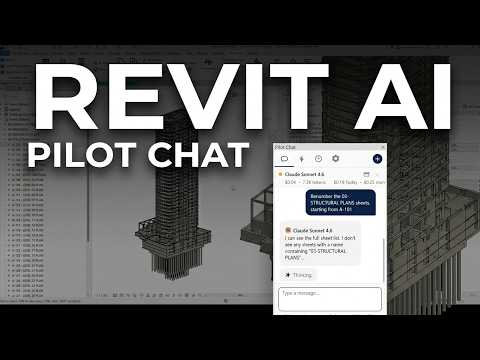 3:23+2 more
 - RVT-03Control Revit from Claude (MCP)Revit MCP Server for Claude, ChatGPT & CodexRevit AI Tools: What AI Can Actually Do in RevitBeginner
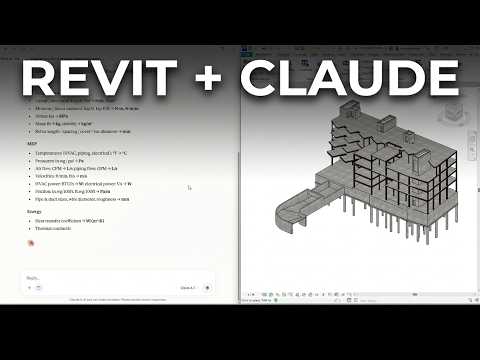 2:38
2:38 - RVT-04Clean up parameters in bulkUsing Pilot AI in RevitDaily work
 0:34 · Short
 - RVT-05Sheets, views and renumbering in one promptUsing Pilot AI in RevitDaily work
 0:27 · Short+1 more
 - RVT-06Audit warnings and hidden model problemsUsing Pilot AI in RevitDaily work
 0:35 · Short+1 more
 - RVT-07Model from a DWG plan or a promptRevit AI Tools: What AI Can Actually Do in RevitAdvanced
 0:29 · Short+2 more
 - RVT-08Build and run Dynamo graphs with AIDynamo AI: Build & Run Dynamo Graphs with ClaudeUsing Pilot AI in RevitAdvancedRead the guide
AutoCAD
Drawings from PDFs and sketches, layers, text, layouts and plotting.
- ACAD-01Connect Claude or Codex to AutoCADConnect Claude to AutoCAD & Civil 3DAutoCAD & Civil 3D MCP Server for Claude & CodexBeginnerRead the guide
- ACAD-02Pilot Chat inside AutoCADPilot AI for AutoCAD & Civil 3DBeginnerRead the guide
- ACAD-03PDF to DWG with real layers and scaleConvert PDF to DWG with AI: Real AutoCAD ObjectsDaily work
 1:41+1 more
 - ACAD-04A floor plan from a photoAutoCAD & Civil 3D MCP Server for Claude & CodexDaily work
 0:30 · Short
 - ACAD-05Layer and standards cleanupUsing Pilot AI in AutoCAD & Civil 3DDaily workRead the guide
- ACAD-06Text and attribute edits at scaleUsing Pilot AI in AutoCAD & Civil 3DDaily workRead the guide
- ACAD-07Layouts and plottingUsing Pilot AI in AutoCAD & Civil 3DAdvancedRead the guide
Civil 3D
Alignments, profiles, corridors and cut and fill from plain requests.
- C3D-01Connect Claude to Civil 3DConnect Claude to AutoCAD & Civil 3DCivil 3D AI: Claude & ChatGPT in Civil 3DBeginnerRead the guide
- C3D-02One line to a road: what AI can do in Civil 3DCivil 3D AI: Claude & ChatGPT in Civil 3DBeginner
 0:25 · Short+1 more
 - C3D-03Road design: alignment, profile, corridorCivil 3D AI: Claude & ChatGPT in Civil 3DDaily work
 1:45
1:45 - C3D-04Cut and fill volumesCivil 3D AI: Claude & ChatGPT in Civil 3DDaily work
 0:21 · Short
 - C3D-05A surface and a profileUsing Pilot AI in AutoCAD & Civil 3DDaily workRead the guide
- C3D-06Dynamo for Civil 3D with AIDynamo AI: Build & Run Dynamo Graphs with ClaudeAdvancedRead the guide
Navisworks
Clashes, search sets, federation and 4D with an assistant.
- NWD-01What AI does in NavisworksNavisworks AI & MCP: Clash Detection and 4DPilot AI for NavisworksBeginner
 2:00
2:00 - NWD-02Clash detection with AINavisworks Clash Detection with AI: Step by StepUsing Pilot AI in NavisworksDaily work
 2:00+2 more
 - NWD-03Search sets that follow your naming standardUsing Pilot AI in NavisworksDaily workRead the guide
- NWD-04Keep the federation honestUsing Pilot AI in NavisworksDaily workRead the guide
- NWD-05A 4D schedule with TimeLinerUsing Pilot AI in NavisworksAdvanced
 0:25 · Short
3ds Max
Scenes, materials, lights and renders from a request.
- MAX-01What AI does in 3ds Max3ds Max MCP: AI for Scenes & RenderingPilot AI for 3ds MaxBeginnerRead the guide
- MAX-02Block out a sceneUsing Pilot AI in 3ds MaxDaily workRead the guide
- MAX-03From a BIM export to a web modelUsing Pilot AI in 3ds MaxDaily workRead the guide
- MAX-04Check and render; MAXScript when no action fitsUsing Pilot AI in 3ds MaxAdvancedRead the guide
Robot
Frames, loads and combinations, then results you can read back.
- RSA-01What AI does in Robot Structural AnalysisRobot Structural Analysis MCP & AIPilot AI for Robot Structural AnalysisBeginnerRead the guide
- RSA-02A portal frame from a sentenceUsing Pilot AI in Robot Structural AnalysisRobot Structural Analysis with AI: A GuideDaily workRead the guide
- RSA-03Loads and combinationsUsing Pilot AI in Robot Structural AnalysisDaily workRead the guide
- RSA-04Run the analysis and read results backUsing Pilot AI in Robot Structural AnalysisAdvancedRead the guide
Advance Steel
Steel frames and section changes from plain requests.
- ADVS-01What AI can do in Advance SteelAdvance Steel MCP: AI for steel modelsPilot AI for Advance SteelBeginnerRead the guide
- ADVS-02Connect Claude to Advance SteelConnect Claude to AutoCAD & Civil 3DBeginnerRead the guide
- ADVS-03A steel frame in Advance SteelUsing Pilot AI in AutoCAD & Civil 3DDaily workRead the guide
Inventor
Parameters, iLogic, sheet metal, assemblies and drawings.
- INV-01What AI does in InventorInventor MCP: AI for iLogic & Sheet MetalPilot AI for InventorBeginnerRead the guide
- INV-02Drive a part by parameterUsing Pilot AI in InventorDaily workRead the guide
- INV-03iLogic without the Rule EditorUsing Pilot AI in InventorDaily workRead the guide
- INV-04Sheet metal and the blank sizeUsing Pilot AI in InventorDaily workRead the guide
- INV-05Check an assembly, then make the drawingUsing Pilot AI in InventorAdvancedRead the guide
Toolbox
The Revit add-ins that clear routine work in one click.
- TBX-01Export every format in one click (Deliver)DeliverBeginner
 3:30+3 more
 - TBX-02Link many models at once and fix broken links (LinkHub)LinkHubBeginnerRead the guide
- TBX-03Shared parameters in bulk (DataBuild)DataBuildDaily work
 3:04+2 more
 - TBX-04Excel to Revit and back (ParaFlow, SheetBridge)ParaFlowSheetBridgeDaily workRead the guide
- TBX-05IFC and NWC from many models without opening them (Multi-Model Export)Multi-Model ExportDaily work
 2:20+1 more
 - TBX-06Model health and IFC checks before delivery (Model Doctor, IFC Ready)Revit Model Health CheckIFC Model Checker for RevitDaily workRead the guide
- TBX-07Clash checks inside Revit (Instant Clash)Instant ClashAdvancedRead the guide
- TBX-08Speed tools: Compass, Batch Join/Cut, Sequencer, Smart PlaceCompassBatch JoinAdvancedRead the guide
Learn it on your own model
Every lesson works in the free 14-day trial. No card needed.
Start free trial Installation guide