Guide · Robot Structural Analysis
Robot Structural Analysis with AI: model, load, run and check
Robot Structural Analysis solves the frame; the work around the solver is yours: nodes and bars, sections and supports, load cases and combinations, then the results. Here is an AI assistant doing that work in your open Robot model through AEC Pilot, with a verified example and the checks that keep the engineering decisions with you.
Why automate Robot Structural Analysis
In a Robot model the calculation is one command. The work around it repeats from model to model:
- Model setup: nodes, bars, a section on every bar, supports with the right fixity.
- Load cases: the loads in each case, self-weight once and only once, combinations with their factors.
- Reading results: reactions, displacements and internal forces, case by case, compared with what you expected.
Each step is a precise operation in Robot’s own API, so an assistant can carry it out on the real model, not on a screenshot.
What the assistant can do in Robot
AEC Pilot gives the assistant named actions inside Robot. Each does one job, and several refuse a request that would quietly produce a wrong model.
- Geometry: nodes and bars. A second node on an existing one is refused (coincident nodes are not connected), as is a second bar between the same two nodes.
- Sections: by Robot’s exact name, such as HEA 200, from the model or Robot’s section database. An unknown name is refused, not modelled as something else.
- Supports: fixed, pinned, roller or any custom fixity.
- Loads: linear static cases (dead, live, wind, snow, temperature, accidental, seismic), self-weight, nodal forces and moments, uniform loads along bars.
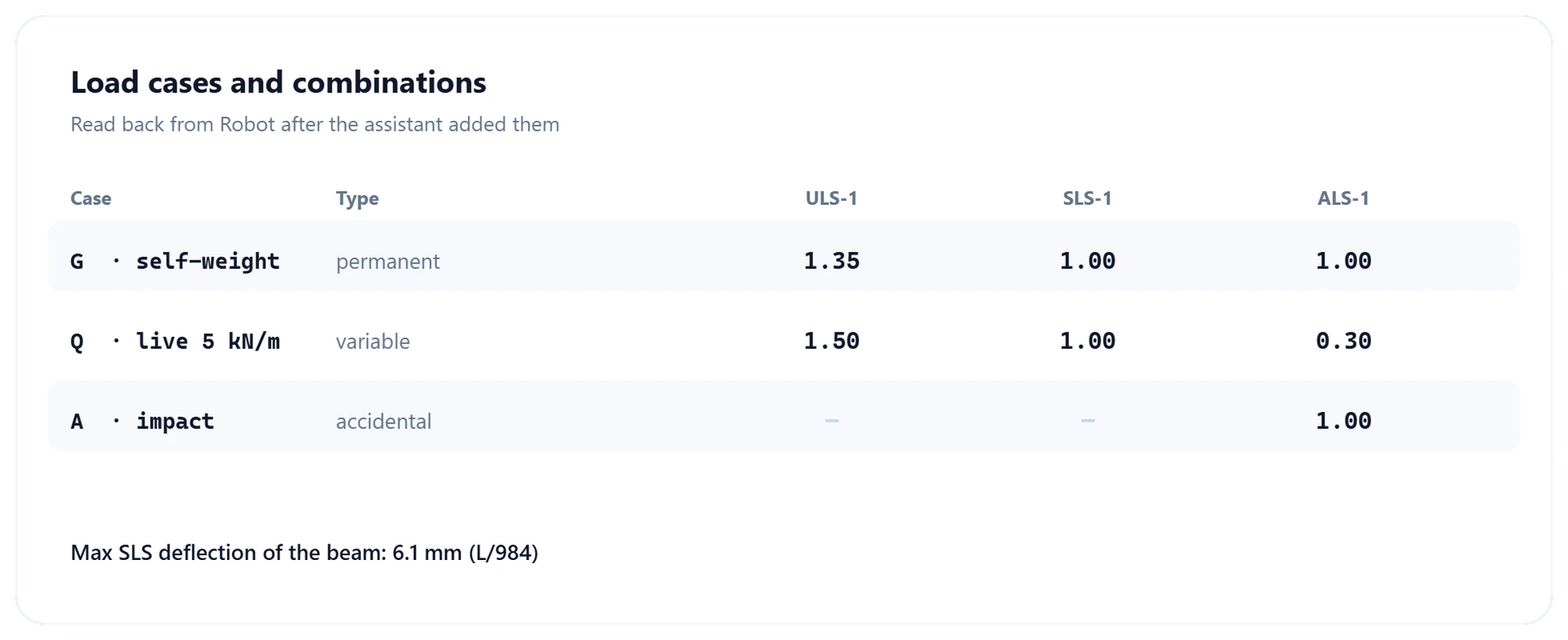
- Combinations: ULS, SLS or ALS, from your load cases and your factors.
- Analysis: Robot’s own calculation, without its dialog boxes, reporting whether it completed and, if not, why.
- Results: support reactions with their sum, node displacements, and internal forces along each bar.
Units are SI throughout, with Z pointing up. Ask in kN, and a downward 5 kN/m load goes to Robot as −5,000 N/m.
A worked example: a portal frame under 5 kN/m
This example was run on a live Robot model while the connector was tested. Three bars, one request:
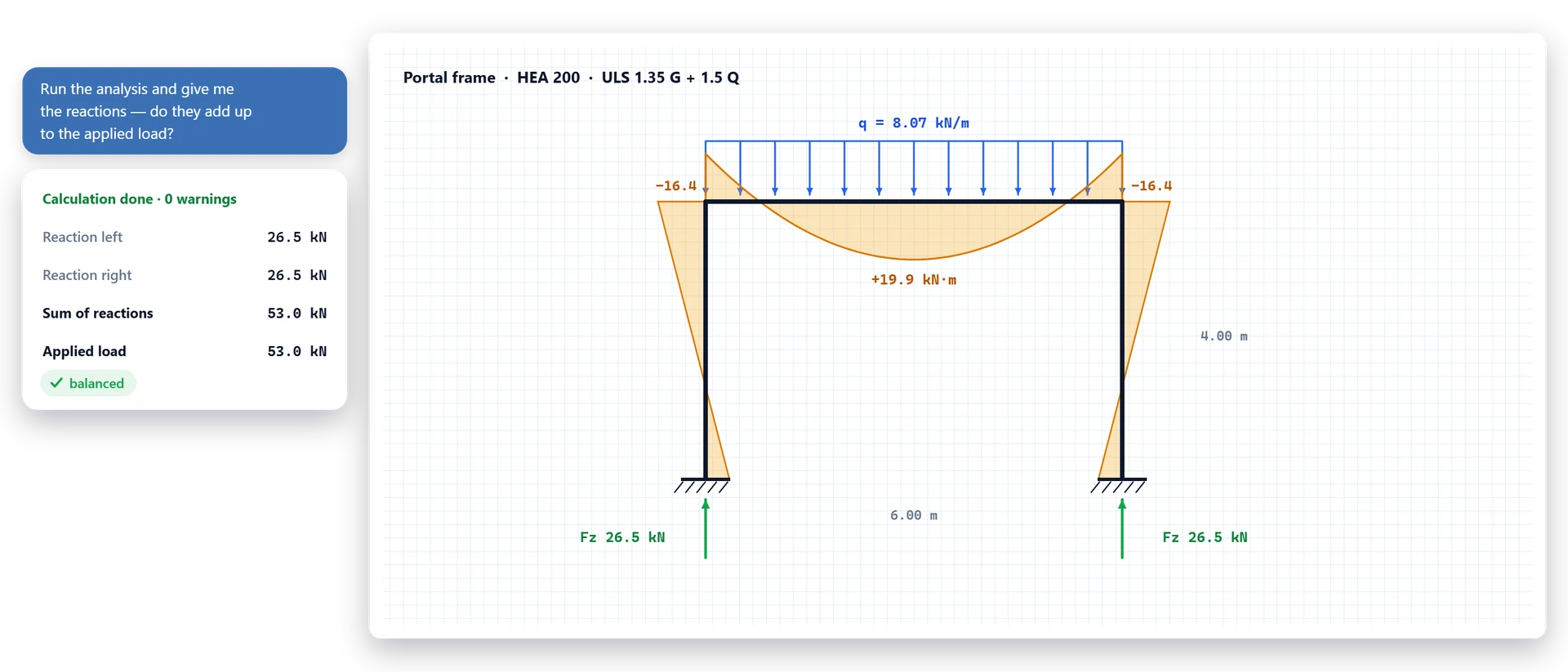
“Build a portal frame: two 4 m HEA 200 columns, a 6 m IPE 300 beam, fixed bases. Add a live load case with 5 kN/m down on the beam, run the analysis and give me the reactions with their sum.”
The assistant creates the nodes, bars, sections and supports, puts −5,000 N/m on the beam in a new live load case, runs the calculation and reads the reactions:
- The calculation completed.
- The vertical reactions add up to exactly 30,000 N.
- The applied load is 5 kN/m × 6 m = 30 kN. The two agree: equilibrium holds.
The assistant made that check itself: it knew the load it had applied, and the sum comes with the reactions. Further checks on the same frame: self-weight of 5,800 N against 5,803 N by hand, and a 1.35 G + 1.5 Q combination of 52,830.5 N, exactly the factored total.
Checking the results: the engineer stays responsible
The assistant builds, runs and reports; the model, the loads and the results remain yours to check and sign. AEC Pilot is built so that a doubtful run is not passed off as a good one:
- Reactions come with their sum. If it does not match the applied load, look for a missing support, a load in the wrong case or kN given where N was meant.
- A run with warnings is not a success. Robot can finish an unstable model and still produce numbers; the assistant gets Robot’s warnings with the nodes and bars concerned and is told not to present those results.
- Stale results are refused when the model changed after the last calculation.
- Conventions are stated: bar forces are in local axes and a positive axial force is compression, as in Robot; the largest moment is the largest at the sampled points, not an exact peak.
When there is no ready action: code against the Robot API
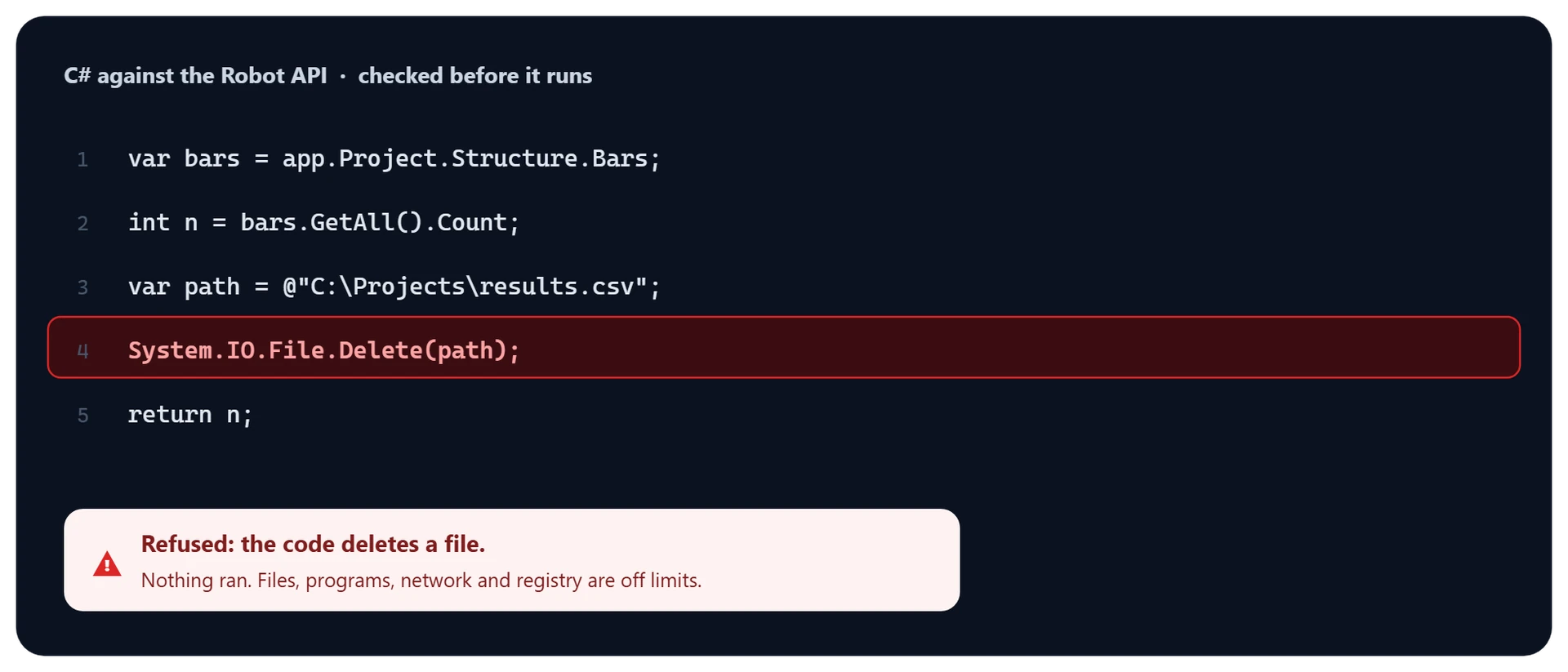
Robot Structural Analysis has a COM API, RobotOM, and every AEC Pilot action is built on it. When a request needs something no action covers, such as a query across the model or a batch change, the assistant writes a short C# method against RobotOM with execute_robot_code and runs it in Robot.
The assistant is told to prefer the named actions. Code is checked before it runs, file, network, process and registry access is refused, and Settings switches the code tool off.
Setting it up
- Robot Structural Analysis Professional 2024 to 2027. On 2025, install Update 1 or later first.
- AEC Pilot: one installer, free for 14 days, one licence for all eight supported Autodesk applications on the same machine.
- Everything is under Add-Ins → AEC Pilot for Robot, because Robot has no ribbon an add-in can extend.
Pilot Chat docks inside Robot and uses your own API key; its health check finds bars without sections, missing supports and missing load cases. Or start the Connector, open Settings → Setup Guide and connect Claude, ChatGPT / Codex, Cursor or Google Antigravity over MCP in one click; the Robot tools appear under the server name aec-robot.
Connect your AI client · Robot Structural Analysis MCP · All MCP guides · More guides
Limits worth knowing
- Most actions need a model open in Robot, and say so plainly when there is none.
- The load cases it creates are linear static, and bar releases and panels have no ready action.
- A calculation still running after about 18 seconds comes back as a job to check on, instead of being started twice.
- Result listings stop at 1,000 rows per call; the reaction sum still covers every node asked for.
Requests to try
- “Start a new 3D frame: a 6 m IPE 300 beam on two 4 m HEA 200 columns, pinned bases.”
- “Add self-weight to the dead load case and 5 kN/m live load on the beam.”
- “Create a ULS combination 1.35 G + 1.5 Q and run the analysis.”
- “Do the ULS reactions add up to the factored load?”
- “Give me the bending moment along the beam at 11 points.”
- “Which node moves most vertically under the live load?”
Frequently asked questions
Can AI do structural analysis in Robot?
Yes, with AEC Pilot. The assistant builds or edits your open model, runs Robot’s own calculation and reads the results back. Robot’s solver does the analysis; you check the result.
Does Robot Structural Analysis have an API?
Yes, a COM API called RobotOM. AEC Pilot’s actions use it, and when none fits, the assistant writes C# against it, checked before it runs.
Which Robot versions are supported?
Robot Structural Analysis Professional 2024 to 2027. On 2025, install Update 1 or later first; the initial 2025 release is not supported.
Does it check design codes such as Eurocode?
No. Combinations use the factors you state, and member design and code checks are not among its actions. The engineer stays responsible for the model and the results.
Does my model leave my PC?
No. Everything runs on your machine, the MCP server listens on localhost only, and your models are never uploaded to AEC Pilot. Your AI client sees the answers to what you ask.
Which AI assistants work with Robot?
Claude Desktop, Claude Code, ChatGPT / Codex, Cursor and Google Antigravity over MCP, or Pilot Chat inside Robot with your own API key. AEC Pilot adds no AI fee.
Run your next Robot model with an assistant.
Free for 14 days — every tool, no card required.