Pilot AI · MCP
Revit MCP: put AI to work in your live Revit model
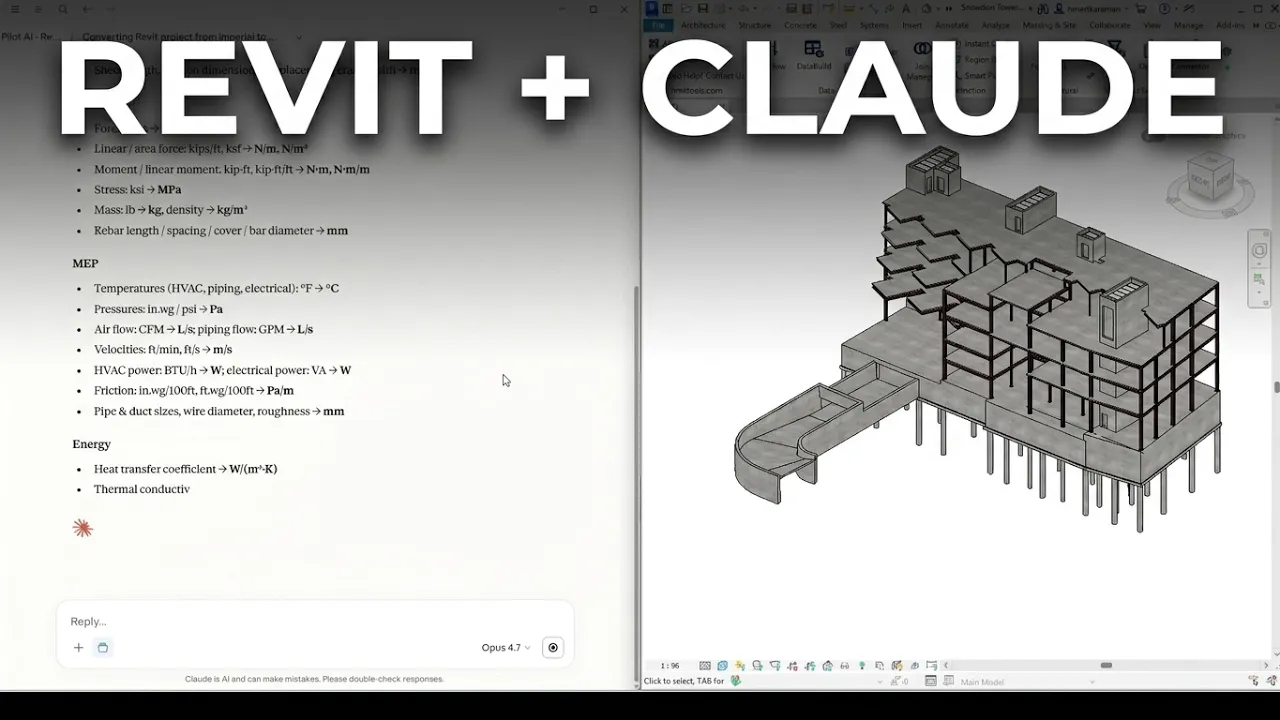
Revit MCP lets Claude or any AI assistant work in your live Revit model — 100+ real actions, in plain language. One-click setup, and everything runs on your machine.
VIDEO · 2:38
What is MCP (Model Context Protocol)?
The Model Context Protocol is an open standard that plugs AI assistants into real software. Your client — Claude, ChatGPT, Cursor, Antigravity — calls real actions directly instead of guessing from pasted text.
Pilot AI runs that server inside Revit, so the assistant works on your live model — not an export.
REVIT 2026
Pilot Chat — docked in the Revit ribbon

What it can do in Revit
100+ real Revit actions — plus a chat panel in the ribbon, so you never have to leave Revit:
- Elements — find, select, move, rotate, copy, array and delete, always with an explicit scope.
- Parameters — read and bulk-set values, create project and shared parameters, find and replace.
- Views and sheets — views, sections, callouts, schedules, sheets, tags, dimensions and text.
- Model quality — warnings, duplicate types, purge, and clash checks against links.
- Export — PDF, DWG, IFC, NWC, and schedules to Excel.
- Dynamo — build, wire and run graphs, then read the results back.
Also on AutoCAD, Civil 3D or Navisworks? See AutoCAD & Civil 3D MCP, Navisworks MCP, or how this compares to other Revit MCP options.
One-click setup — no JSON editing
No config files to edit. Pick your client, click once — Pilot AI writes the setup and keeps the MCP servers you already use.
Claude Desktop, Claude Code, ChatGPT / Codex, Cursor and Google Antigravity — or any MCP client. Use your own AI account; no extra AI fee.
Nothing else to install — no Node.js, no Python. One small executable, so it works on locked-down company PCs too.
What you can do
Just ask, for example:
- “Tag every door in the current view and put it on a new sheet.”
- “Set the Fire Rating of all walls on Level 2 to 60 minutes.”
- “Export IFC and NWC from these ten Revit models overnight.”
- “Which walls on Level 3 have no Fire Rating set?”
See also Pilot AI for Revit, Pilot AI for AutoCAD & Civil 3D, Pilot AI for Navisworks and the toolbox.
New to this? Read our practical guide to AI in Revit.
Frequently asked questions
What is Revit MCP?
Revit connected to an AI assistant through the Model Context Protocol (MCP), an open standard for calling real actions in other software. Pilot AI runs the MCP server inside Revit, so your LLM reads and edits the live model.
Which AI clients does it work with?
Claude Desktop, Claude Code, ChatGPT / Codex, Cursor and Google Antigravity in one click — and any other MCP client. You use your own AI account; no extra AI fee.
Which Revit versions are supported?
Revit 2023–2027, each with its own build: .NET Framework 4.8 (2023–2024), .NET 8 (2025–2026), .NET 10 (2027).
How is it different from Autodesk's Revit 2027 MCP server?
Autodesk's server is a read-only Technical Preview for Revit 2027 with seven tools. Pilot AI reads and writes — 100+ actions on Revit 2023–2027, plus AutoCAD, Civil 3D and Navisworks. Details on the comparison page.
Does it work with Revit LT?
No. Revit LT doesn't load add-ins — you need full Revit 2023–2027.
Can the assistant use Dynamo?
Yes. It opens or builds graphs, searches your installed packages, adds and wires nodes, writes Code Block and Python, runs the graph and reads results and warnings back.
Does MCP work in AutoCAD and Civil 3D too?
Yes — with its own drawing, layer, block, alignment, surface and corridor actions. See the AutoCAD & Civil 3D page.
Does my model leave my computer?
No. Everything runs on your machine and the MCP server listens on localhost only. Your models are never uploaded.
Do I need to edit JSON config files?
No. Pick your client in Settings and click once. No Node.js or Python either — one small executable ships with the installer.
Revit, AutoCAD, Civil 3D and Navisworks are trademarks of Autodesk, Inc. AEC Pilot is not affiliated with Autodesk. Learn more at aecpilot.com.