Pilot AI · Fusion
Fusion MCP: model, assemble and machine in Fusion by asking
Ask, and it builds. AEC Pilot puts an AI assistant inside Autodesk Fusion with 64 real actions — dimensioned sketches and features that stay parametric, components and joints, and CAM from setup to G-code. Every action is one undo step, and everything runs locally on your machine.
Start free trial See the Fusion connector
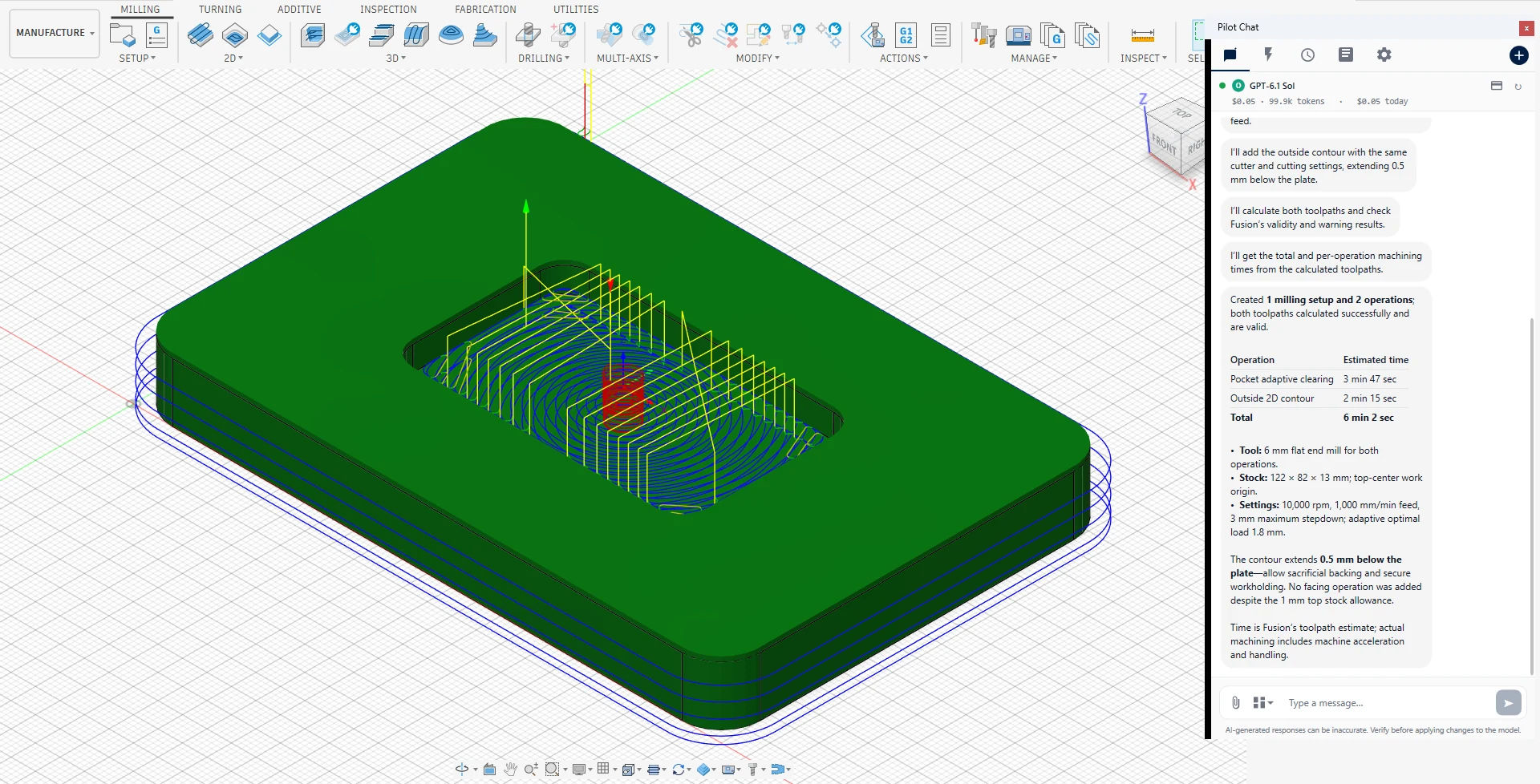
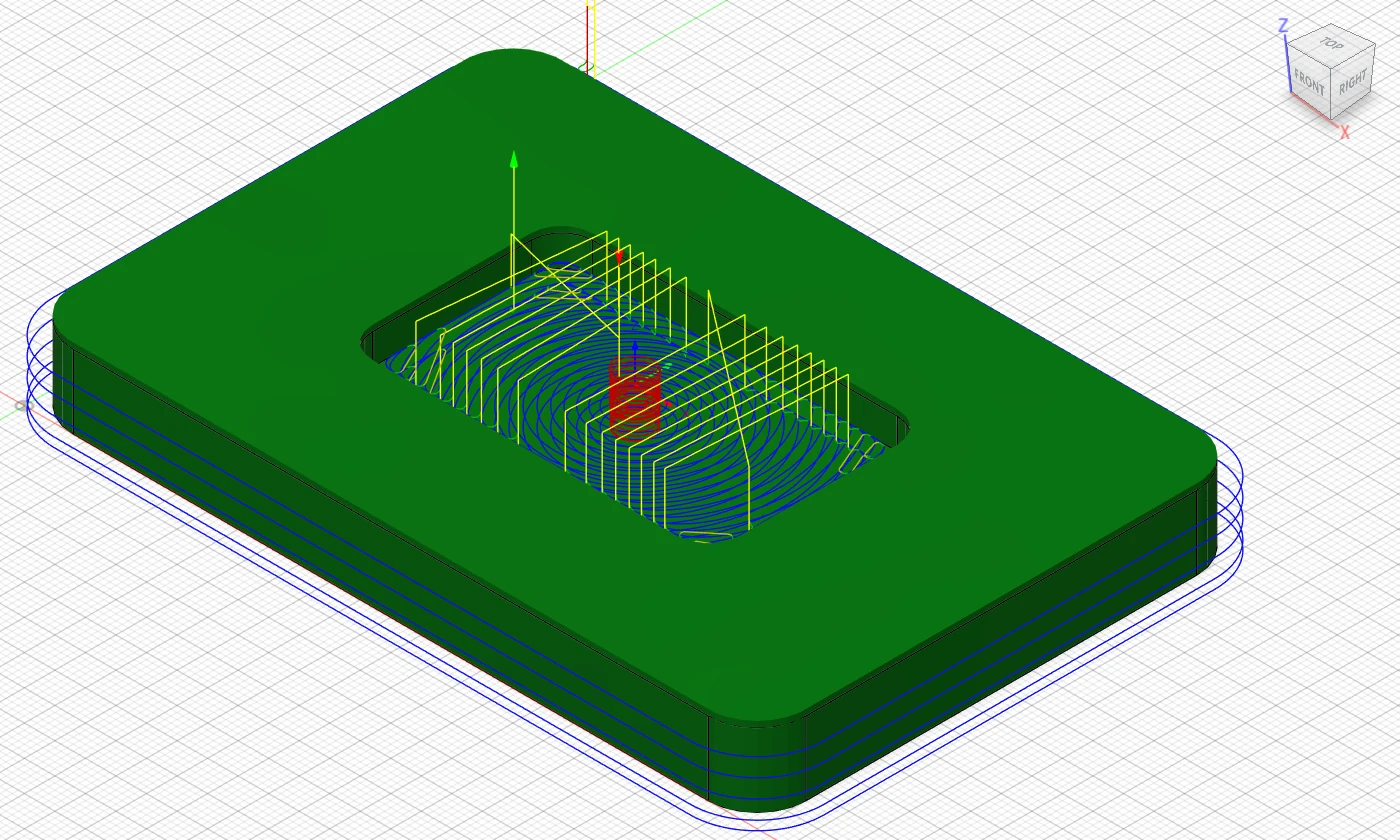
Pilot Chat, docked on the right, built this setup from one sentence: two operations, both toolpaths valid, 6 min 2 s of machining.
VIDEO · 1:14
SHORTS
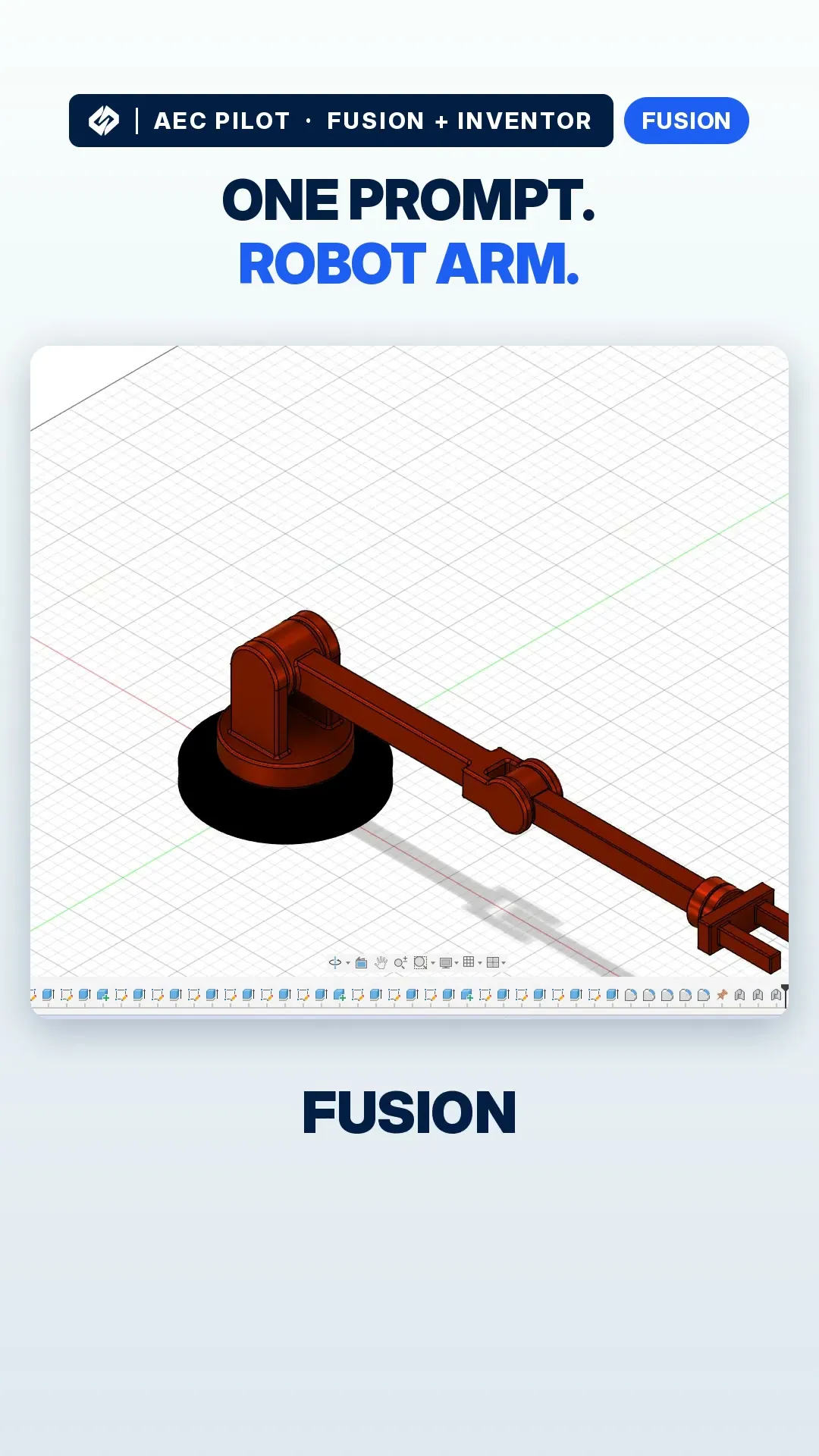
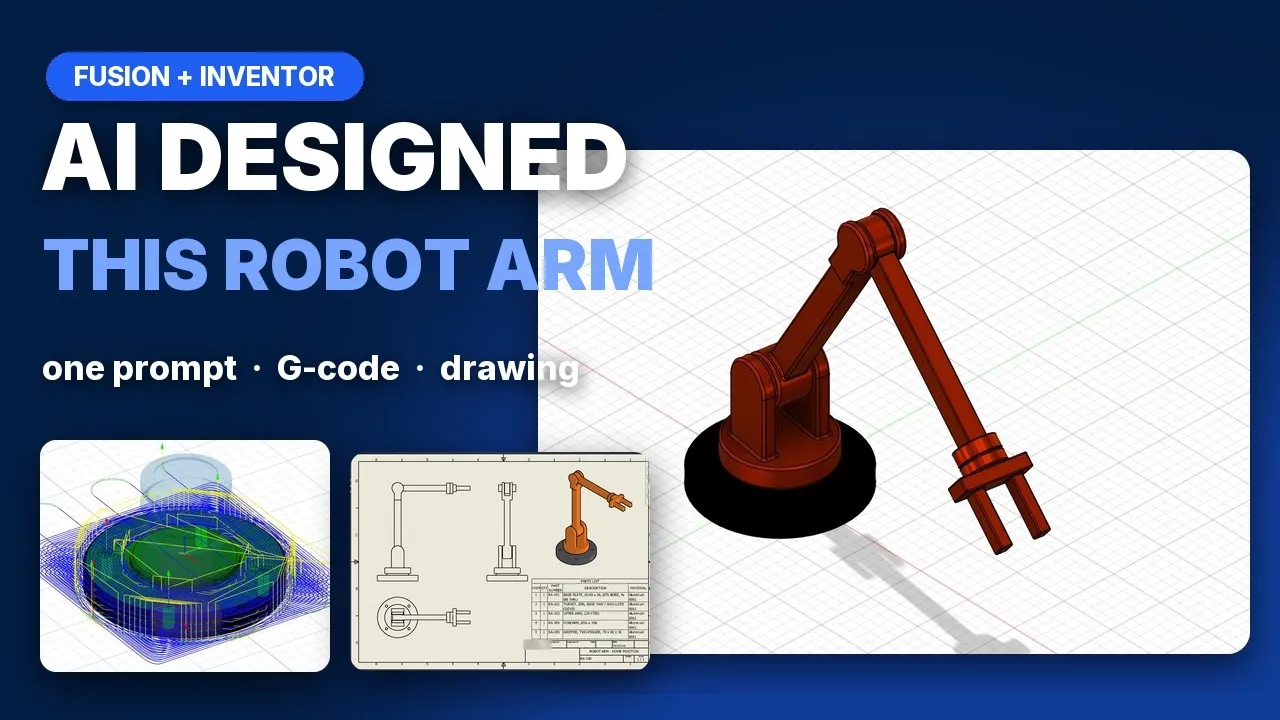
AI designed this robot arm from one prompt.
Parametric models, not dead geometry
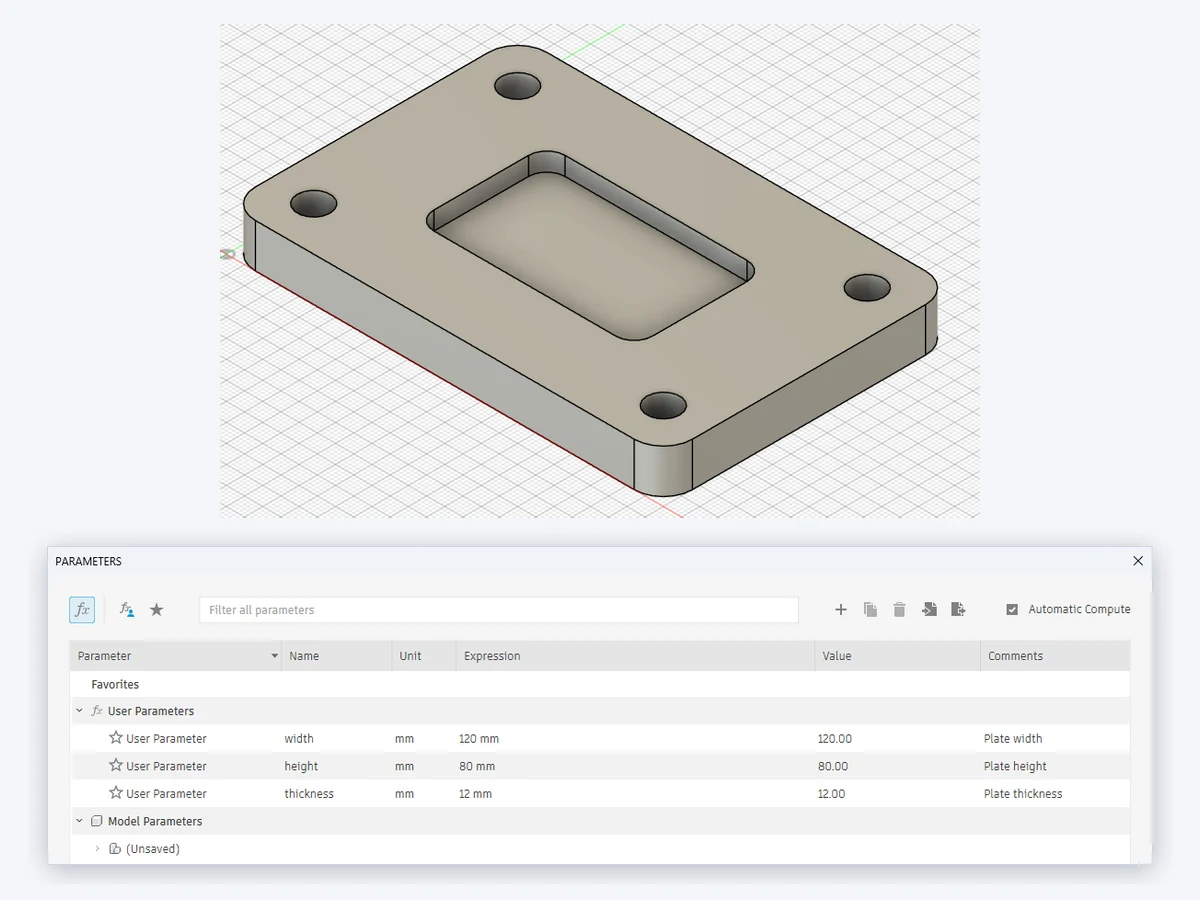
The most common complaint about AI in CAD is that it draws with fixed coordinates: change one size and the sketch falls apart. AEC Pilot works the way you would. Rectangles and circles come out dimensioned, features are built on the sketch’s own profiles, and sizes can be named user parameters with expressions such as width * 2.
- Eight sketch actions: lines, dimensioned rectangles and circles, arcs, polygons, constraints and the list of closed profiles.
- Fifteen features: extrude, revolve, fillet, chamfer, shell, holes, patterns, mirror, combine, loft and sweep — plus suppressing, deleting and rolling back the timeline.
- Four parameter actions: list, set, create and delete user parameters, with units preserved.
CAM: from setup to G-code
Nine actions cover the Manufacture workspace end to end. Create a milling setup with its stock and work origin, add operations — facing, adaptive clearing, 2D pockets and contours, drilling, boring, threading and 3D finishing — with a tool from your library, calculate the toolpaths, read the machining time, and post the result to NC code for your controller.
Every change checked, every change one undo
Each action runs as a single Fusion command, so one Ctrl+Z takes back exactly what the assistant did — not one sketch line at a time. After a feature is built, its health is read back from Fusion, so a feature that failed or came out with a warning is reported as such instead of as “done”.
Components, joints and materials
Six actions handle the assembly side: create components and move bodies into them, move and ground occurrences, add as-built joints, list the joints, and show or hide what you are not working on. Materials are assigned by name — aluminium, steel, brass, plastics — so mass properties come out in real kilograms.
When the design is ready, export it to STEP, IGES, SAT, SMT, F3D, STL, 3MF or OBJ; the action checks that the file was really written.
Two ways to use it
Inside Fusion. Pilot Chat opens docked to the right edge of Fusion. Ask in plain language and the work happens in the design you have open.
From your own LLM. Connect Claude, ChatGPT, Cursor or Google Antigravity through a local Model Context Protocol (MCP) server — one click, no config file to hand-edit and nothing else to install. The server listens on localhost only and stops when you say so.
Working in Inventor, Revit or AutoCAD as well? The same suite covers them, and one licence covers every product on the same machine.
Inventor MCP · Revit MCP · AutoCAD & Civil 3D MCP
Fusion 360 MCP: connect Claude, ChatGPT or Cursor to Autodesk Fusion
What you can ask
- “Sketch a 120 × 80 mm plate, make width and height user parameters, extrude it 10 mm and fillet the vertical edges 5 mm.”
- “Set width to 150 mm, make the body aluminium and tell me its new mass.”
- “Create a milling setup for this part, add adaptive clearing and a 2D contour with a 6 mm flat end mill, and tell me the machining time.”
- “Post the setup for Haas and save the G-code to my exports folder.”
- “Check the assembly for interference and tell me which bodies overlap and by how much.”
Frequently asked questions
Is there an MCP server for Fusion?
Yes, two. Autodesk ships its own Fusion MCP server inside Fusion; it gives the assistant a few general tools and has it write Fusion API code for most steps. AEC Pilot adds a specialised one: 64 typed actions for sketches, features, parameters, joints and CAM, each checked and each one undo step, plus Pilot Chat inside Fusion. They use different ports, so you can keep both.
Can AI create CAM toolpaths and G-code in Fusion?
Yes. Nine CAM actions cover the whole path: a milling setup with stock and work origin, operations such as facing, adaptive clearing, 2D pockets and contours, drilling and 3D finishing, toolpath calculation, the machining time and post-processing to NC code for your controller. Only strategies your Fusion licence can generate are accepted.
Does it keep my design parametric?
Yes. Rectangles and circles are dimensioned when they are drawn, features are built on the sketch profiles, and sizes can be user parameters with expressions. Changing a parameter later updates the whole timeline instead of breaking it.
Can I undo what the AI did?
Yes, with one Ctrl+Z per action. Every action runs as a single Fusion command, so a fillet on twelve edges or a whole CAM operation is undone in one step, not piece by piece.
Which Fusion versions are supported?
The current release of Autodesk Fusion (formerly Fusion 360) on Windows. Fusion updates itself; if an update moves it to a newer Python than your AEC Pilot was built for, the add-in tells you and asks you to install the latest AEC Pilot. macOS is not supported yet.
Does my design leave my computer?
Not through AEC Pilot. The assistant runs inside Fusion on your PC and the MCP server is bound to localhost, so nothing is reachable from outside the machine, and your designs are never uploaded to AEC Pilot. Fusion itself keeps saving to your Autodesk cloud as it always does.
How does it connect to Claude?
One click. Pick your client — Claude Desktop, Claude Code, ChatGPT / Codex, Cursor or Google Antigravity — and AEC Pilot writes the connection for you, preserving any other MCP servers you already have. Nothing else needs installing. You can also skip the external client entirely and use Pilot Chat inside Fusion.
Do I need a separate licence for Fusion?
No. One AEC Pilot licence covers Revit, AutoCAD, Civil 3D, Advance Steel, Navisworks, Inventor, Fusion, 3ds Max and Robot on the same machine. If you already use AEC Pilot in another product, Fusion is included.
Sources and further reading: Model Context Protocol specification · AEC Pilot documentation for Fusion · What data leaves your computer
Put Claude to work on your next part.
Free for 14 days — every tool, no card required.
Fusion, Inventor, Revit, AutoCAD, Civil 3D and Navisworks are trademarks of Autodesk, Inc. AEC Pilot is not affiliated with Autodesk. Learn more at aecpilot.com.