Pilot AI · Civil 3D
Civil 3D AI: surfaces, alignments and corridors by asking
AEC Pilot connects Autodesk Civil 3D to the AI assistant you already use — Claude, ChatGPT, Cursor or Antigravity — or to Pilot Chat inside Civil 3D. Ask in plain words and it works on the drawing you have open: surfaces and earthwork, alignments, profiles and corridors, COGO points and pipe networks. Everything runs locally on your machine.
Start free trial See the CAD connector
VIDEO · 1:46
SHORTS
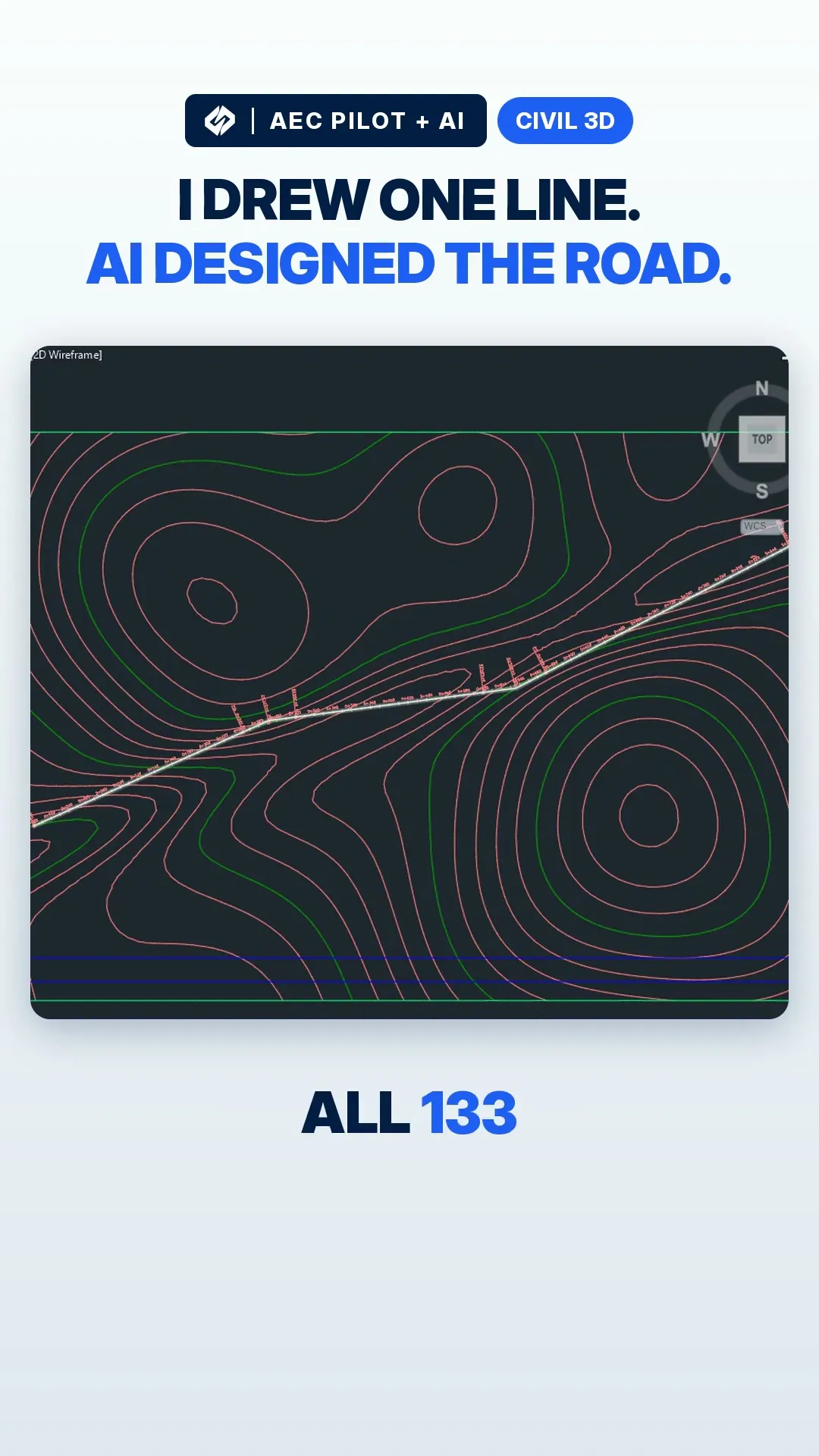
I drew one line in Civil 3D. AI built the road.
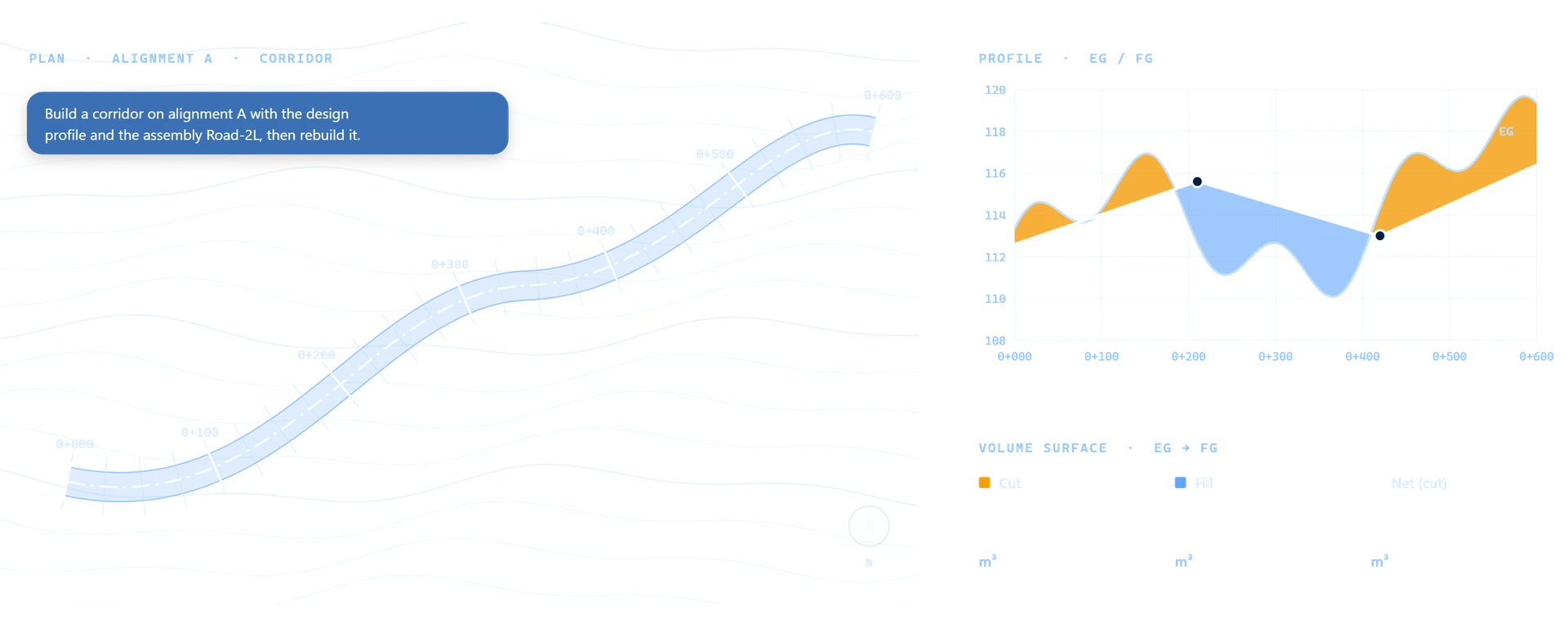
From survey points to volumes
- Points
- Surface
- Alignment
- Profile
- Corridor
- Volumes
Surfaces and earthwork
Build and read terrain without clicking through the Prospector. The assistant creates TIN surfaces, adds points, breaklines and boundaries, and reads back statistics and elevations.
- TIN surfaces from points, breaklines and boundaries
- Surface statistics and the elevation at any point
- Contours, spot elevation and slope labels
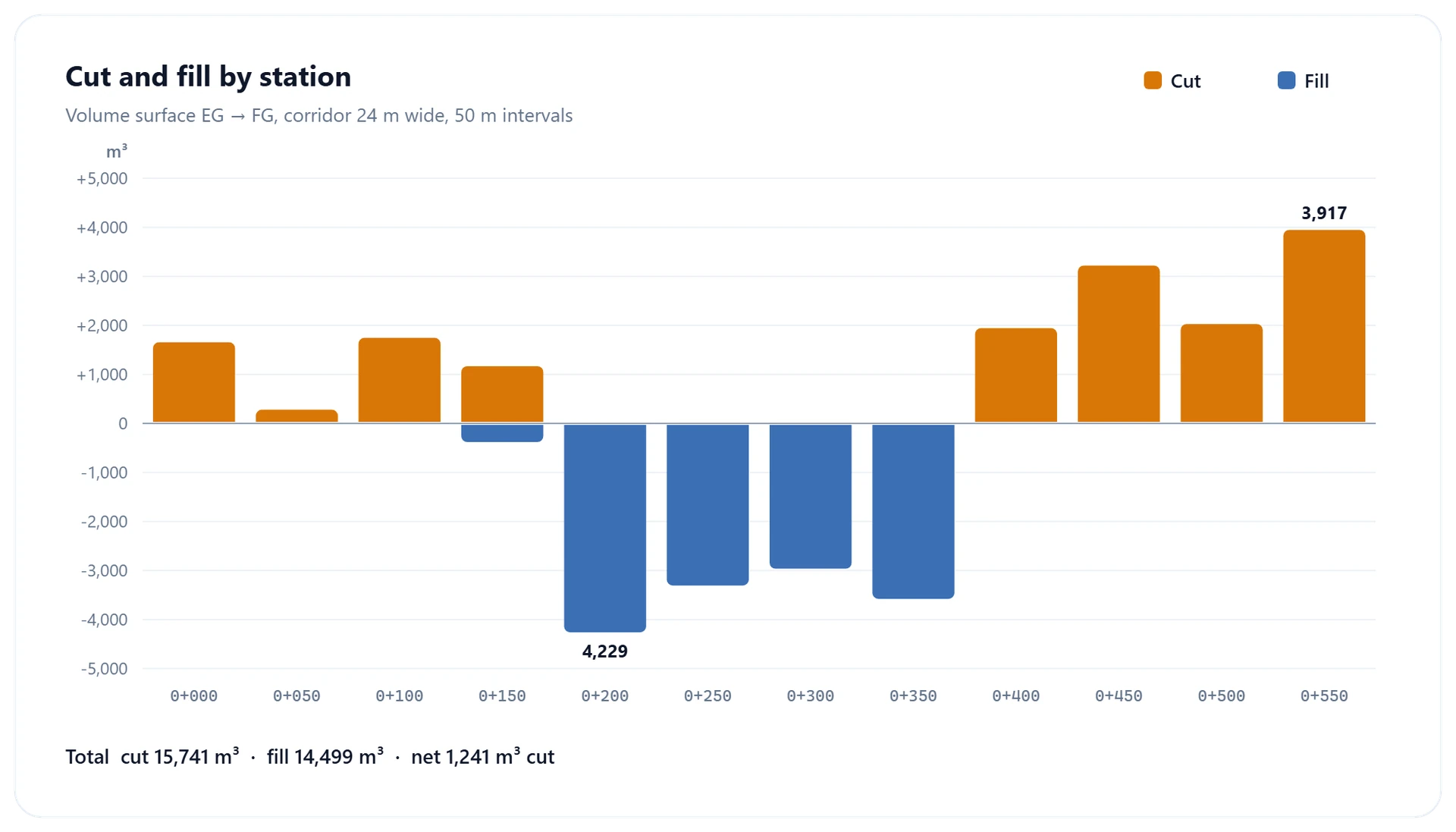
- Volume surfaces between existing and design ground, with cut, fill and net volume
Alignments, profiles and corridors
The whole road workflow, end to end: from a polyline to a rebuilt corridor without leaving the chat. Verified on Civil 3D 2023 and 2026.
- Alignments from polylines, with curves added between tangents, and offset alignments
- Station and offset of any point, and the point at any station
- Surface profiles, design profiles with PVIs, and profile views
- Corridors from an alignment, a profile and an assembly, rebuilt and read back
- Sample line groups, with sample lines at a fixed station interval
Points, pipes and parcels
- COGO points: create them, import a point file in its own format (PNEZD and the rest), group them
- Feature lines: list, read and create
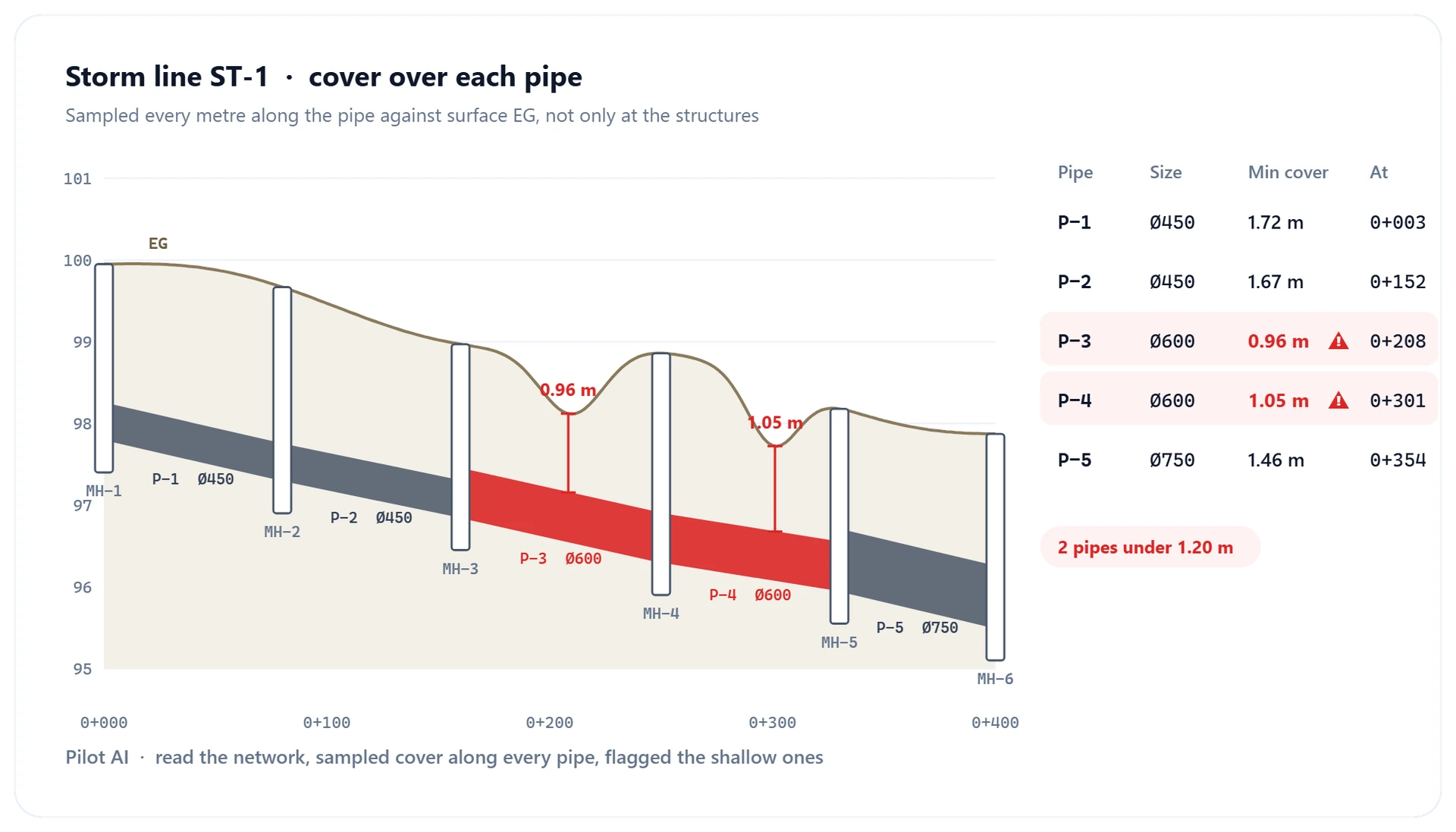
- Pipe networks: every pipe with its size and length, every structure with its rim and sump
- Cover over each pipe, sampled along its length against the surface, not only at the ends
- Bring pipes to a minimum cover in one step, keeping their plan position and slope
- Parcels, sites, data shortcuts and object styles
Dynamo for Civil 3D
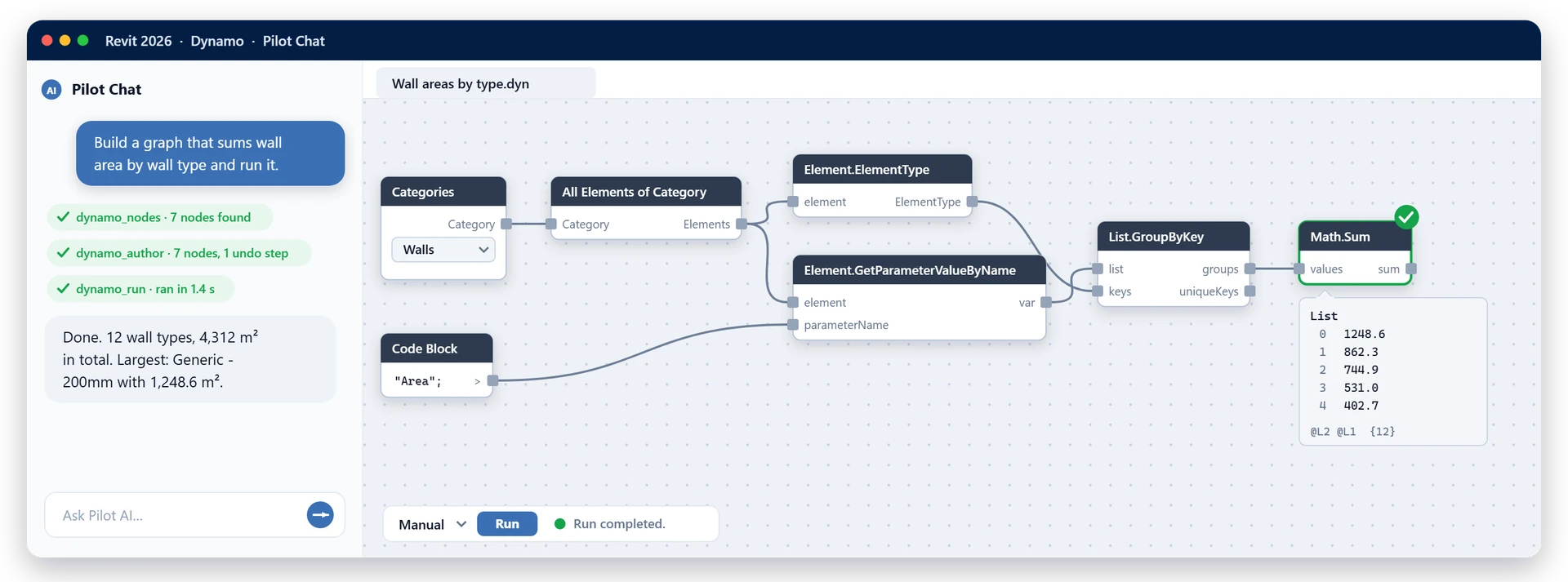
With Dynamo open, the assistant works on the graph: it opens or starts one, searches the node library — packages such as Civil3DToolkit included — adds and wires nodes, writes Code Block and Python, runs the graph and reads the results back.
One install, your own AI
- Civil 3D 2021 to 2027, and AutoCAD with the same install
- Pilot Chat docked inside Civil 3D, with your own API key
- Your drawing never leaves your PC; the MCP server listens on localhost only
From your own LLM. Connect Claude, ChatGPT, Cursor or Google Antigravity through a local Model Context Protocol (MCP) server — one click, no config file to hand-edit and nothing else to install. The server listens on localhost only and stops when you say so.
AutoCAD & Civil 3D MCP · Connect your AI client · All MCP guides
Civil 3D road design with AI: from one line to a corridor and cut and fill
What you can ask
- “Create a TIN surface called EG from the points in group SURVEY, with the breaklines on layer BRK.”
- “How much cut and fill is there between EG and FG?”
- “Make an alignment from this polyline, then a surface profile along it on EG and a profile view.”
- “Build a corridor on alignment A with the design profile and the assembly Road-2L, then rebuild it.”
- “Which pipes in the storm network have less than 1.2 m of cover, and where?”
- “Import survey.csv as PNEZD comma delimited and put the points in a group called Topo.”
Frequently asked questions
Is there an AI for Civil 3D?
Yes. AEC Pilot adds an AI assistant to Civil 3D 2021–2027: Pilot Chat inside Civil 3D, or Claude, ChatGPT, Cursor and Antigravity over MCP. It reads and builds surfaces, alignments, profiles, corridors, points and pipe networks in the open drawing.
Is there an MCP server for Civil 3D?
Yes. AEC Pilot runs a local MCP server inside Civil 3D with more than 50 Civil actions on top of the AutoCAD ones. In Civil 3D, open Settings → Setup Guide and click Configure next to your client.
How is it different from Autodesk Assistant in Civil 3D?
Autodesk Assistant is Autodesk's own AI assistant inside Civil 3D, with property and style edits. AEC Pilot works from the assistant you choose, builds alignments, profiles, surfaces and corridors, and runs on Civil 3D 2021 through 2027.
Can it calculate earthwork?
Yes. It creates a volume surface between two surfaces, for example existing and design ground, and returns the cut, fill and net volume.
Does my drawing leave my computer?
No. Everything runs on your machine and the MCP server listens on localhost only. Your AI client sees only the results of what you ask for.
What does it cost?
Free for 14 days with every tool. Then €199 per seat per year, with 10% off from 5 seats and 20% off from 20 — one licence covers all nine Autodesk applications, Civil 3D included.
Sources and further reading: Model Context Protocol specification · AEC Pilot documentation for AutoCAD and Civil 3D · What data leaves your computer
Civil 3D, AutoCAD and Dynamo are trademarks of Autodesk, Inc. AEC Pilot is not affiliated with Autodesk. Learn more at aecpilot.com.