Start here
By product
When it goes wrong
Looking for what a specific tool does? The toolbox lists every one of them.
By product
Robot Structural Analysis
24 actions in Autodesk Robot Structural Analysis Professional 2024 to 2027 — nodes, bars, sections and supports, load cases and combinations, the calculation, and its results.
What It Can Reach
Structure 6
Loads 6
Connector & diagnostics 4
Results 3
Context & knowledge 2
Project 1
Analysis 1
Code execution 1
Every action is listed with a one-line description in the toolbox entry.
Pilot AI for Robot in the toolbox →
Walkthrough: A Portal Frame from a Sentence
Describe the structure; the assistant creates the nodes, the bars between them, the sections and the supports:
“Build a portal frame: two 4 m columns, a 6 m beam, fixed supports, HEA 200 everywhere.”
Sections come from Robot’s database. An unknown name — a typo, or another catalogue — is refused, not modelled as something else.
Walkthrough: Loads and Combinations
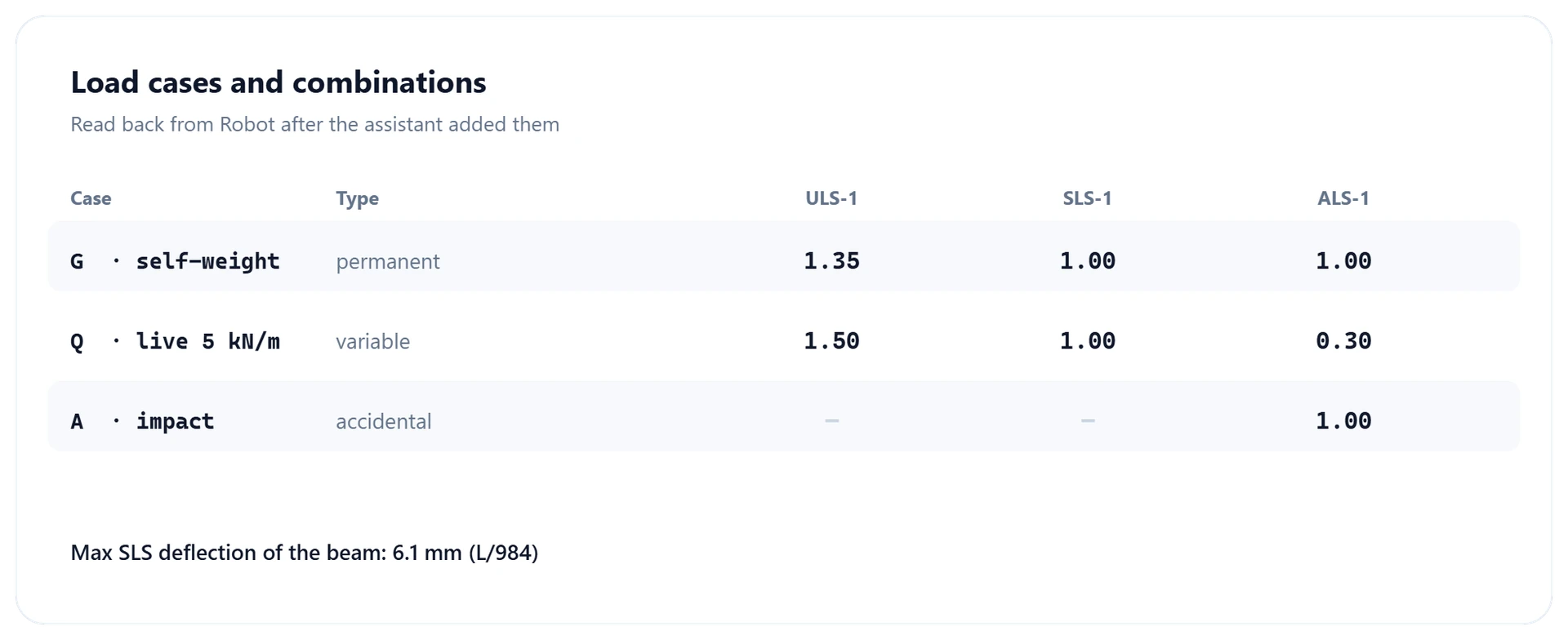
Load cases, self-weight, point and uniform loads, and combinations:
“Add self-weight to the dead case and a 5 kN/m live load on the beam.”
“Create an ULS combination 1.35 G + 1.5 Q.”
Walkthrough: Run It and Read It Back
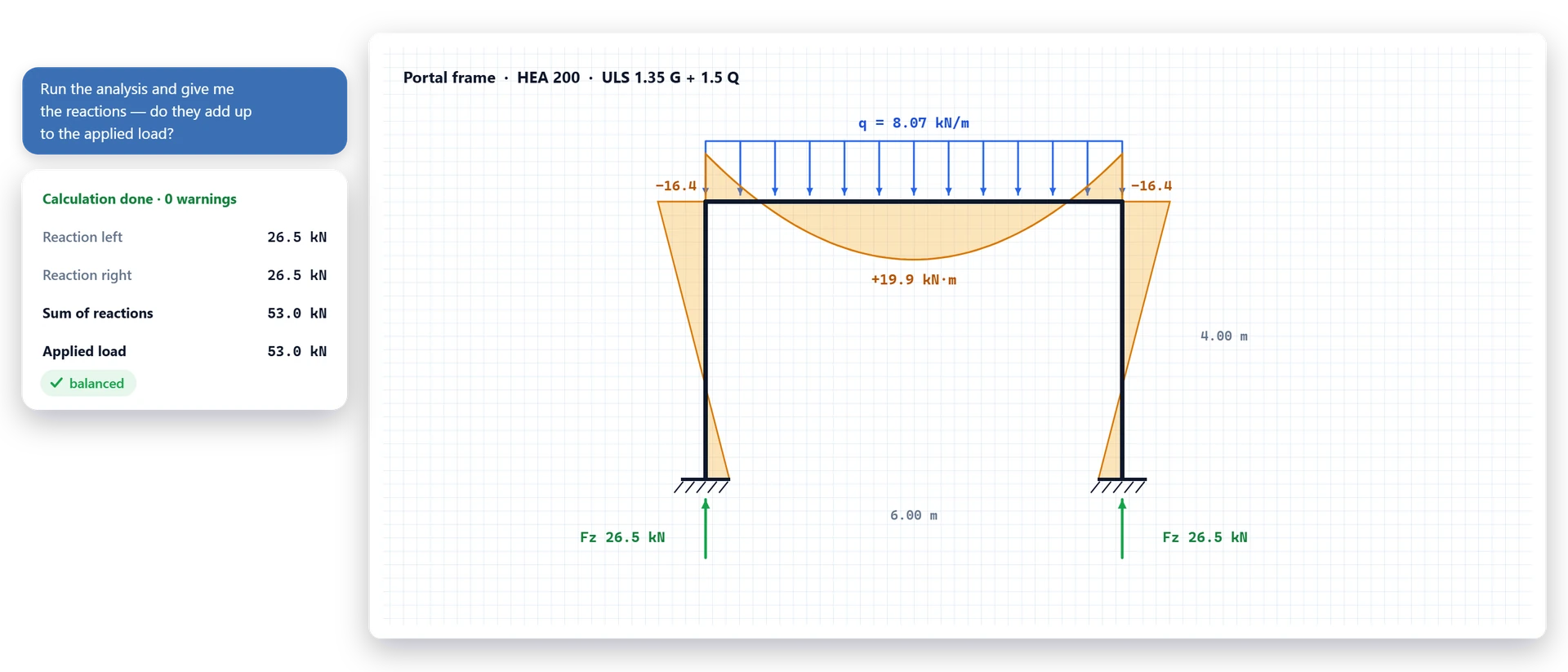
The calculation runs without Robot’s dialogs and reports that it completed, or why it failed:
“Run the analysis and give me the reactions with their sum.”
“What is the largest moment in the beam, and where?”
In bar forces, a positive axial force is compression, and the largest moment is the largest at the points sampled along the bar, not an exact peak.
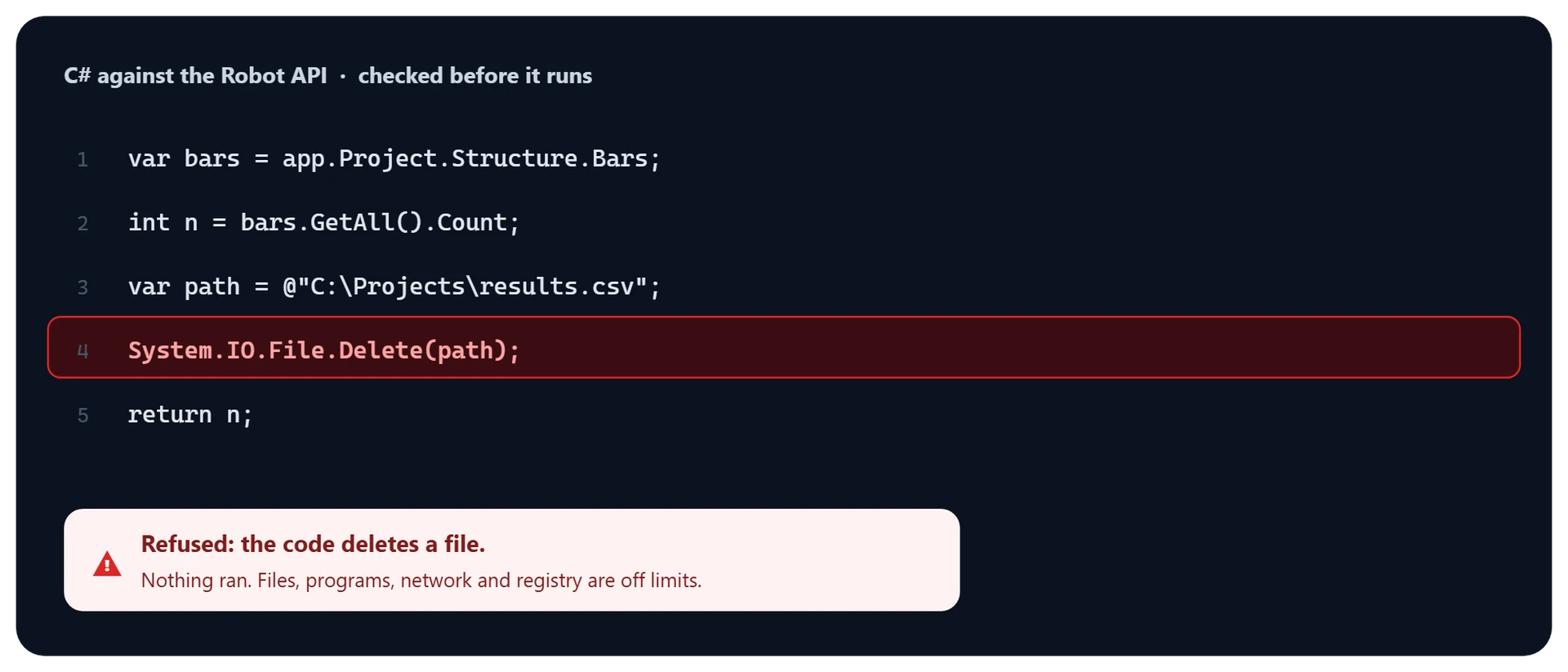
C# Against the Robot API
When no action fits, it writes C# against Robot’s API — checked before it runs, and refused if it writes or deletes files, starts programs, opens network connections or touches the registry. Settings turns the code tool off.